Copyright 2025 Cameron Arensdorf
ACCESSIBILITY AUDIT | SMALL BUSINESS WEBSITE
Five Star Entertainers
Web Accessibility Audit
WCAG 2.2 Level AA audit of a small business entertainment website, focused on removing navigation barriers for screen reader and keyboard-only users.
ROLE
Solo UX researcher & designer
Date
February 2026
Methods
Lighthouse • Silktide • Keyboard Testing • Chrome DevTools
Standard
WCAG 2.2 Level AA
OVERVIEW
Three pages. Nine WCAG violations. Zero accessible navigation.
Five Star Entertainers is a Houston-based entertainment company offering DJs, live performers, event lighting, and party services. For potential customers, the website’s main job is simple: help them explore services, compare options, and contact the business.
The audit revealed that this path was blocked for users who rely on screen readers, keyboard navigation, or other assistive technology. Every navigation element was rendered as an image without accessible text. The site also lacked a skip link, semantic landmarks, and a reliable visible focus state
For users, this meant the site was difficult to understand and inefficient to move through. For the business, it meant potential customers could abandon the site before reaching key service or contact information.
65
Homepage Lighthouse
71
Services Lighthouse
65
Contact Lighthouse
9+
WCAG criteria violated
Lighthouse Audit Scores
Problem
Navigation was inaccessible + fragile.
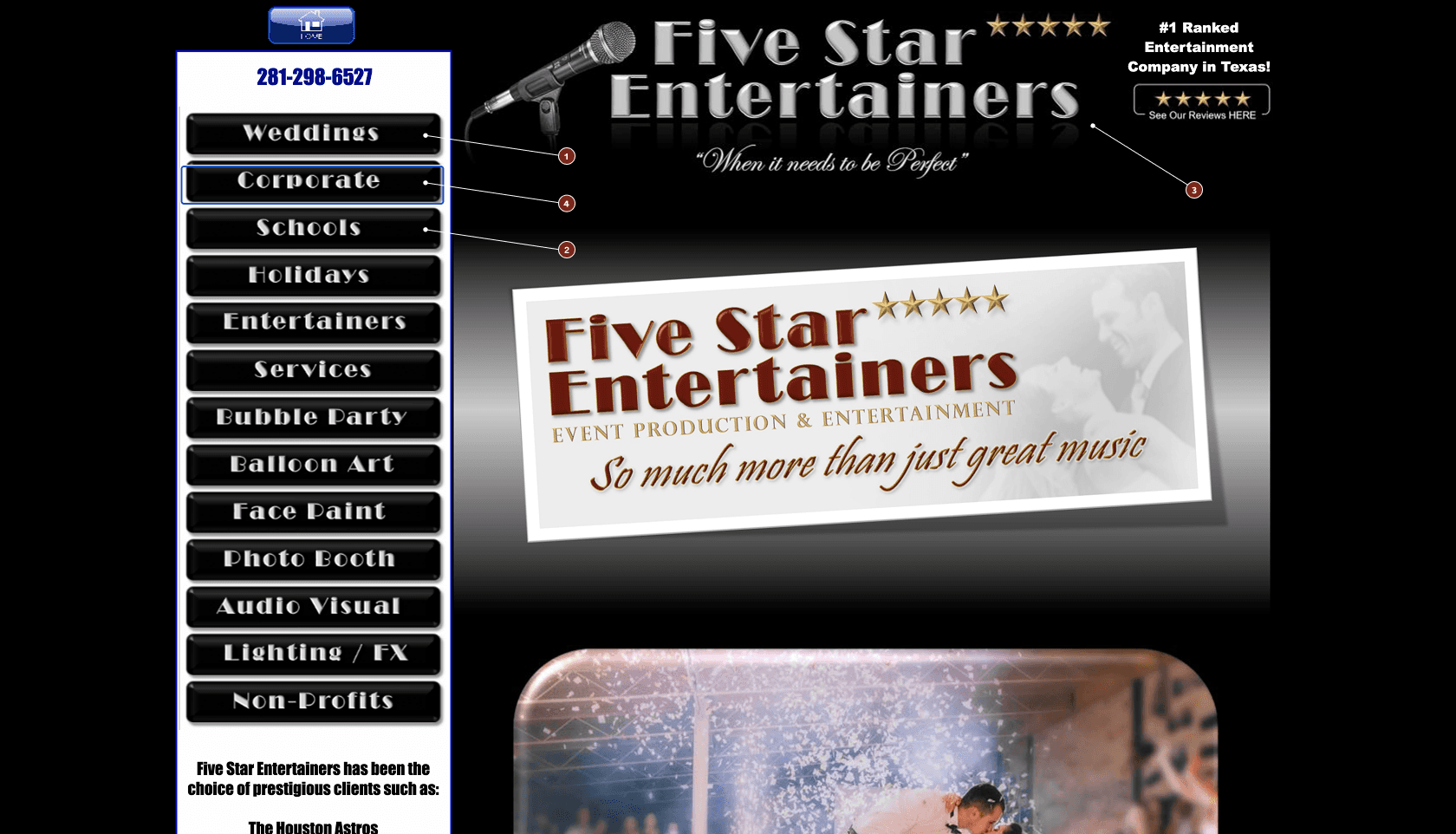
The site’s WYSIWYG platform rendered every navigation button as a PNG image instead of accessible text. This made the global navigation difficult for screen reader and keyboard users to understand, navigate, and use.
Key barriers
Screen reader barrier
Nav items were announced as repeated, unlabeled “link, image” elements instead of clear destinations like “Services,” “Gallery,” or “Contact.”
Keyboard barrier
Users had to Tab through 30+ unlabeled elements before reaching page content.
Maintenance barrier
Alt text would help, but it would not fix repeated tab stops, missing landmarks, weak focus visibility, or long-term maintenance risk.
Recommendations
Replace the image-based navigation with semantic text links and an accessible global navigation structure.
AI collaboration
I used AI to inspect repeated source-code patterns and speed up WCAG cross-referencing. I manually validated every finding through keyboard testing, Chrome DevTools, and W3C documentation.
Research
Research methods: automated + manual testing
Automated tools surfaced structural issues, while manual testing showed how those issues affected the navigation experience. Using both made the audit more credible.
Automated tools
I used Chrome DevTools, Lighthouse, and Silktide across the homepage, services page, and contact page to identify missing labels, missing landmarks, contrast issues, and page accessibility scores.
Manual keyboard testing
I used Tab and Shift+Tab to move through interactive elements and evaluate link identification, bypass paths, focus visibility, and access to main content.
Source code inspection
I reviewed page structure in Chrome DevTools to confirm whether navigation, headings, and landmark regions were programmatically available to assistive technology.
Insights
Six findings that shaped design decisions
Severity
Finding
Pages
WCAG
Critical
30+ image links had no alt text or accessible name. Screen readers announced them as unlabeled "link, image".
All 3
1.1.1, 2.4.4
Critical
No skip link. Users had to move through repeated navigation before reaching content.
Homepage
2.4.1
Critical
No semantic landmarks. The site relied heavily on div containers instead of header, nav, main, and footer regions.
All 3
1.3.1
Critical
Focus indicator failed expectations, making keyboard location difficult to see.
Homepage
2.4.7
Moderate
Services: The services page listed 26 items in one flat, unheaded list, increasing cognitive load.
Services
2.4.6
Moderate
The contact page lacked clear heading structure, making it harder for screen reader users to jump to phone, email, or inquiry information.
Contact
2.4.6
Decisions
The hard calls
Decision 1: Replace image navigation, not patch it
The fastest fix was to add alt text to the existing image links, but that would only solve part of the problem. It would not fix repeated tab stops, missing landmarks, weak focus visibility, or long-term maintenance risk.
Not Recommended
Add alt text to existing image links
Minimal effort, but it preserves a fragile navigation system and does not solve the larger keyboard, landmark, or focus-state issues.
Recommended
Replace with semantic text navigation
A larger redesign effort, but a more durable solution. Text links are easier for screen readers to identify, easier for keyboard users to move through, and easier for the business to maintain.
Decision 2: Keep the final redesign focused
The Services page also had wayfinding issues, but I did not redesign it in the final mockup. To manage scope, I documented it as a future recommendation instead of presenting it as a completed solution.
Not Recommended
Add one heading and keep the flat service list
Technically improves structure, but users would still have to scan 26 undifferentiated services without categories or clear decision paths.
Recommended
Restructure services around customer decision points
Group services into clear categories with H2 headings and jump links, so customers can compare options faster and move toward booking without reading every item one by one.
Final Solution
Before & After - Homepage Redesign
Before
After
fivestarentertainers.com/home.html — current

Critical
No alt text — screen reader announces every nav link as unlabeled “link, image”
1
No skip link and nav repeats 3× in tab order 30+ tab presses to reach content
2
No semantic landmarks — entire page in div wrappers
3
Focus contrast 2.17:1 — fails WCAG 2.4.7 minimum
4
impact
What changed
I focused the redesign on the homepage and global navigation because those patterns affected every page of the site. Improving that component created a clearer path to services and contact information.
Projected homepage accessibility score after remediation
65
92+
Homepage Lighthouse
(projected)
Before
30+ unlabeled image links
No skip link
Repeated navigation in the tab order
No landmark regions
Weak focus visibility
Services page had limited wayfinding
after
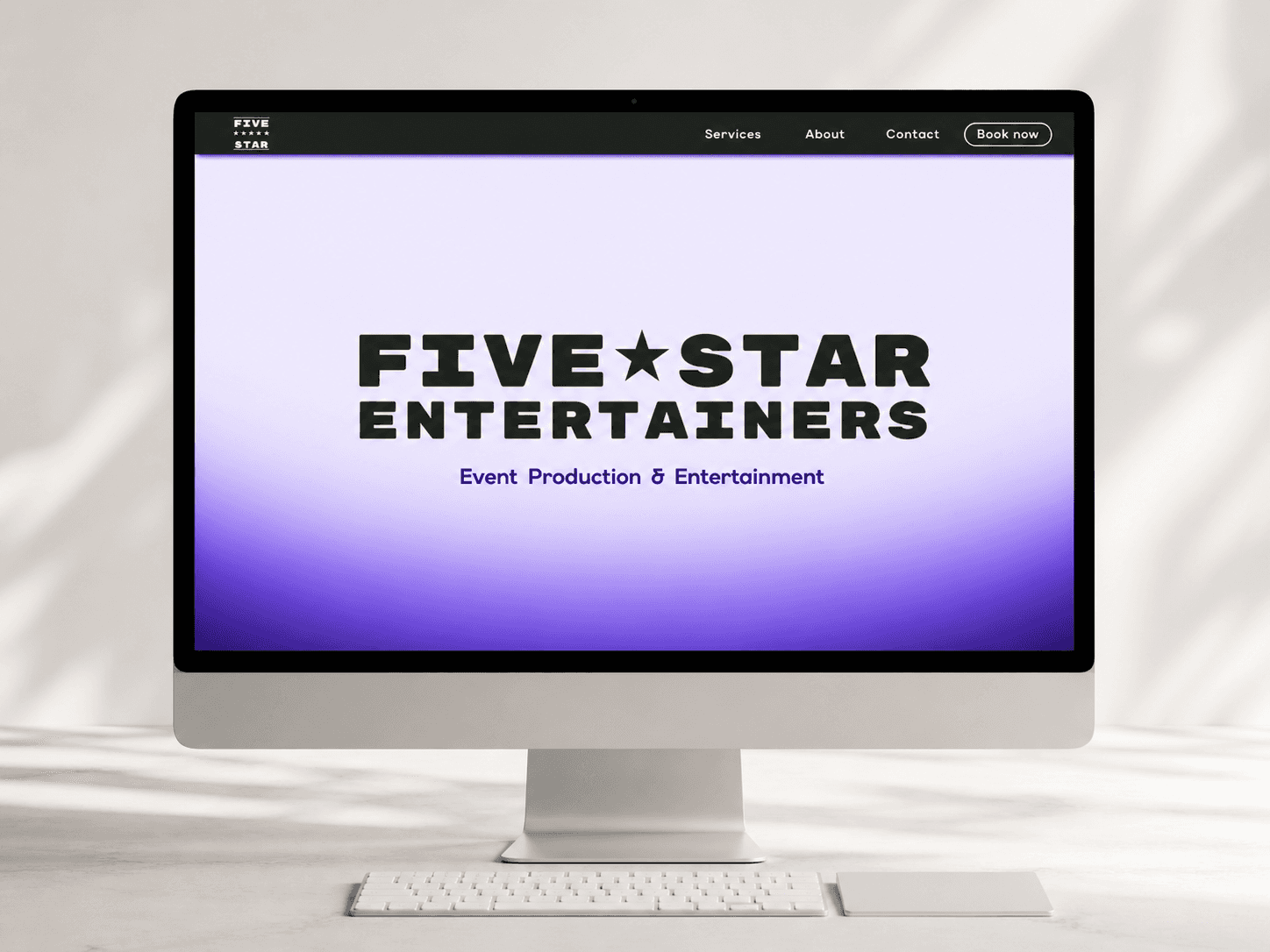
Text navigation with accessible link names
Skip link from the top of the page to main content
Semantic header, nav, main, and footer regions
High-contrast visible focus states
More efficient path to service and contact information
Scope note
Remediation focused on the homepage — the primary entry point and navigation layer. The structural fixes (semantic HTML, skip link, landmark regions, accessible nav) cascade to all pages once implemented, as the navigation is global across the entire site.
Reflection
What I'd do differently
"What would you change about your process?"
I would involve assistive technology users in the audit itself, not only as hypothetical personas. I tested the keyboard path myself, but feedback from screen reader users would have helped me validate the severity of the navigation barriers and prioritize fixes based on real user feedback.
"What was the most important thing you learned?"
This project taught me that accessibility problems are often system problems that affect, the experience as a whole, not isolated defects.Elements like hierarchy and wayfinding affect accessibility, but they also shape the experience for the entire customer base. Making a product accessible not only benefits customers with disabilities but also all customers who use the product.
I also learned the importance of managing scope. Once I identified issues across the homepage, services page, and contact page, it would have been easy to redesign everything. Instead, I focused the final solution on the homepage and global navigation because those patterns affected the entire site and the homepage is the first point of entry. I documented the Services page and Contact page issues as future recommendations so the project stayed focused while still giving the business a clear path forward.
AI collaboration — What it did and didn’t do
AI accelerated the research layer: WCAG cross-referencing, code example generation, and source analysis. It did not replace the manual work of navigating the site with a keyboard, checking focus behavior, and identifying where the experience broke down.
My Work

Information Architecture • Museum Kiosk Concept
Museum Fossil Kiosk
Interactive kiosk concept designed to help museum visitors explore fossil exhibits through clear, accessible navigation.

Usability Research • Restaurant Website
Kei's Vegan Eatz
Research-driven usability evaluation of a restaurant website focused on navigation, clarity, and customer tasks.